Digital preservation for macOS
Your originals, intact. And the proof that they are.
Obscura Vault keeps your originals in signed .obf archives, checks their integrity with SHA-256 checksums during scheduled audits, and lets you back them up and restore them.
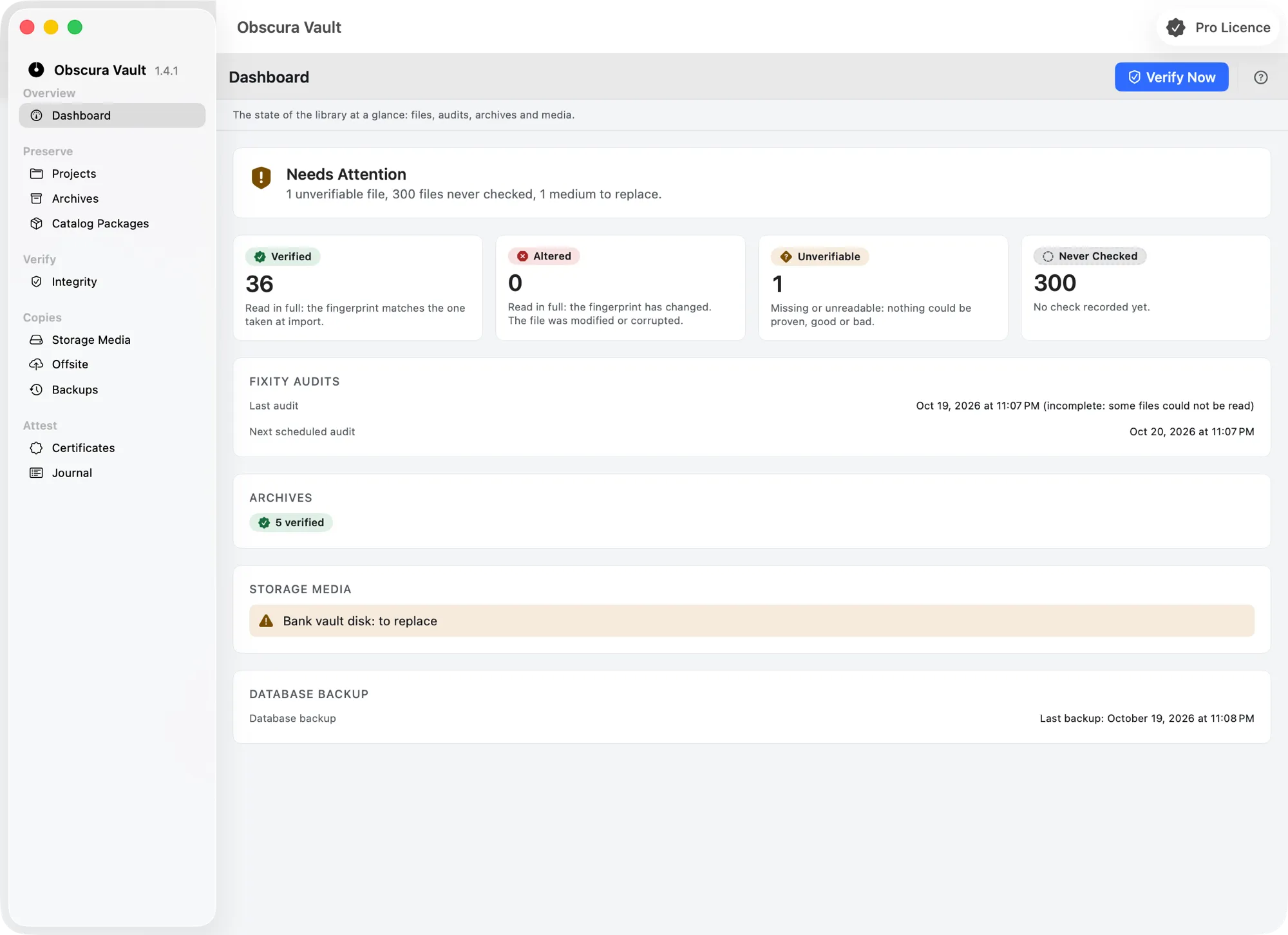
Verify their integrity
Back up and restore
Why
A copy is not a proof.
Keeping files is not enough: you also need to know they have not changed, and to be able to show it.
A silent backup
A backup says a file exists, not that it stayed identical. Obscura Vault compares its SHA-256 checksum with its reference.
Silent alteration
A file can degrade with nothing to signal it. Scheduled audits recompute checksums at regular intervals.
A misleading “all good”
A check that could not take place is reported “not verifiable”: never confused with “verified good”.
An opaque archive
The .obf format is built on tar and zstd, two open, publicly documented formats.
Sensitive content
Optional AES-GCM encryption protects an archive's content.
Integrity to demonstrate
The preservation certificate attests the integrity of an archive and the fixity of a file at a given date.
Method
From the original to the attestation.
Obscura Vault follows the life of an original: archiving, verification over time, backup, and restore.
- 01
Preserve
Keep your originals in an .obf archive: a tar container compressed with zstd, encrypted with AES-GCM if you choose.
- 02
Sign
Every archive carries an Ed25519 signature, which lets you check that it has not changed since.
- 03
Verify
Scheduled audits recompute the SHA-256 checksum of every file and compare it with its reference.
- 04
Back up
Send your archives offsite: S3 or compatible storage, a NAS, or the synced folder of iCloud Drive, Google Drive, Dropbox or OneDrive. Every copy is verified before it is reported as successful.
- 05
Restore
Restore an archive from the Mac or from offsite, without overwriting a file already there; an incremental revision is restored with its chain.
- 06
Attest
A preservation certificate attests the integrity of an archive and the fixity of a file at a date.
Features
Preserve, verify, attest.
Four functions, each built on public standards.
.obf archives
Obscura Vault keeps your originals in .obf archives: a tar container compressed with zstd, signed, and encrypted if you wish.
Learn moreFixity checks
A SHA-256 checksum per file, recomputed during scheduled audits and compared with its reference: an altered file does not go unnoticed.
Learn moreBackup and restore
Offsite copies of your archives, database backups, and a restore that never overwrites a file already there.
Preservation certificate
A document attesting the integrity of an archive and the fixity of a file at a given date.
Learn morePrinciples
Open standards, honest results.
Obscura Vault relies on public formats and algorithms, and states exactly what it verified.
Open formats
An .obf archive is built on tar and zstd, two open, publicly documented formats.
SHA-256 checksums
A standardized hash function (FIPS 180-4): the slightest change to a file changes its checksum.
Honest results
A check that could not take place stays “not verifiable”. It never counts as “verified good”.
Ed25519 signature
A standardized digital signature (RFC 8032) comes with every archive.
Optional encryption
AES-GCM encrypts an archive's content and detects any change to it; you choose whether to turn it on.
On your Mac
A macOS app from the Obscura Flow ecosystem.
Who it's for
Who Obscura Vault is for.
Obscura Vault is intended for professionals, for the needs of their business (end user license agreement):
- Archives
- Institutions
- Companies
- Associations
- Self-employed workers
It is not offered to consumers.
FAQ
Frequently asked questions.
What is Obscura Vault?
A macOS app to preserve originals, verify their integrity, back them up, and restore them. It comes from Obscura Flow and is part of its ecosystem.
What is an .obf file?
Obscura Vault's archive format: a tar container compressed with zstd, optionally encrypted with AES-GCM, and signed with Ed25519. The “.obf format” page explains it.
How is file integrity checked?
With fixity checks: the SHA-256 checksum of each file is recomputed during scheduled audits and compared with its reference. A different checksum signals an alteration.
What does “not verifiable” mean?
That the check could not be completed. Obscura Vault keeps this result apart from “verified good”: a file that was not verified is never presented as intact.
What is the preservation certificate for?
To attest, at a given date, the integrity of an archive and the fixity of a file: a document to add to a record, to hand over, or to keep.
Is encryption mandatory?
No: AES-GCM encryption of an .obf archive is optional.
Next step
Preserved originals, verified integrity.
Obscura Vault is available for macOS. Download it from your Obscura member area, or write to us to learn more.